
Epson SureColor F560
The Epson SureColor SC-F560 is a 24-inch (610 mm) desktop dye sublimation printer that takes roll media and A4/A3 sheets, with an integrated auto-cutter for cut-sheet output. Epson designed it for custom merchandise, hard surface imaging and low-volume fabric work. It uses Epson UltraChrome Dye Sublimation ink in a four-colour CMYK set, refilled from 140 ml bottles. Available from Sign to Badge Solutions.
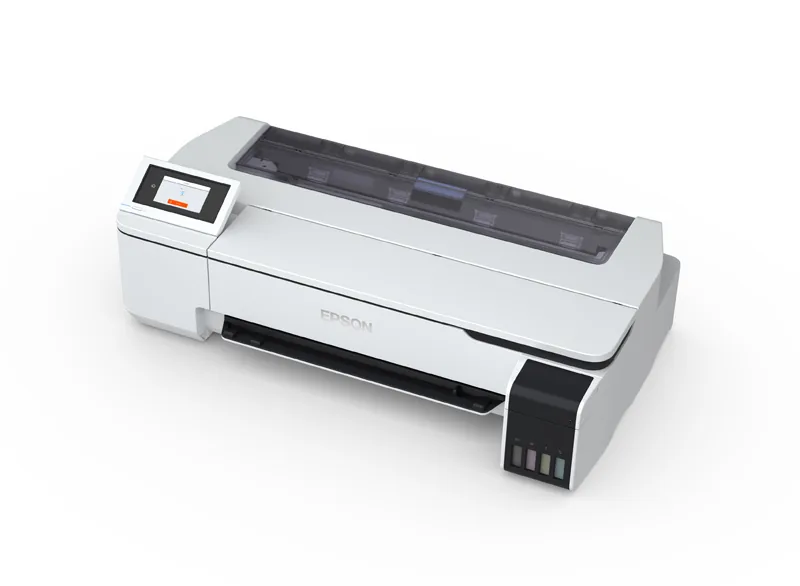
Key features
1Roll and sheet media
Rolls up to 24″ (610 mm) wide, plus an A4/A3 pop-up sheet feeder, with automatic switching between roll and sheet.
2Integrated auto-cutter
A rotary cutter with selectable automatic or manual operation. Single sheets are held on exit to reduce mess and spoilage.
3Fine detail and smooth colour
PrecisionCore Micro TFP printhead with Variable Sized Droplet Technology and Epson Precision Dot processing, at up to 2400 × 1200 dpi, with an integrated head guard.
4Refill while printing
A 4 × 10⁶ ml ink tank system that can be topped up from 140 ml bottles while printing continues.
5Desktop or floor-standing
Sits on a desk, or on the optional stand with a media basket. Epson quotes a footprint of about 0.5 m².
6Touchscreen and job costing
4.3″ colour touchscreen with built-in help, a printer driver for common graphic software, an LFP Print Plug-in for Office and the Epson Accounting Tool for job costing.
Specifications
| Specification | SureColor SC-F560 |
|---|---|
| Print process | Dye sublimation: print onto transfer paper, then transfer with a heat press |
| Maximum media width | 24″ (610 mm) |
| Media handling | Single roll with spindle loading, plus an A4/A3 pop-up sheet feeder (up to 50 sheets), with automatic switching |
| Media | Epson DS Transfer General Purpose paper: A4, A3, 17″ and 24″ rolls; A4 and A3 sheets |
| Minimum margins | 3 mm on all sides (Epson suggests 45 mm top and 15 mm bottom for optimum quality) |
| Output | Integrated rotary auto-cutter; single sheets held on exit; A4/A3 output tray supplied |
| Printhead | Epson PrecisionCore Micro TFP with VSDT, nozzle verification, auto head alignment and integrated head guard; 800 nozzles per colour |
| Maximum resolution | 2400 × 1200 dpi |
| Print modes | Uni- and bi-directional |
| Ink | Epson UltraChrome Dye Sublimation, CMYK. Epson also lists a fluorescent-ink version, the SC-F561; the ink sets are not interchangeable between the two models. |
| Ink supply | 4 × 10⁶ ml tank system, refilled from 140 ml bottles |
| Print speed (printer only) | Fast fabric: 21 m²/hr (2 pass, 600 × 1200 dpi) Standard: 208 s per A1 (7 pass, 1200 × 1200 dpi) High quality: 350 s per A1 (12 pass, 2400 × 1200 dpi) |
| Control panel | 4.3″ colour touchscreen with built-in help |
| Interface | USB 3.0, Gigabit Ethernet and Wi-Fi |
| Memory | 1 GB |
| Software | Printer driver, EpsonNet utilities, LFP Print Plug-in for Office and Epson Accounting Tool (Windows); driver and utilities for Mac by web download. Epson states that buyers of printers sourced through Epson Australia can receive a copy of Epson Edge Print; ask us for details. |
| Power supply | AC 220–240 V, 50/60 Hz, 1.4 A |
| Operating environment | 15–25 °C recommended; 20–80% humidity (40–60% recommended), no condensation |
| Dimensions (W × D × H) | 970 × 577 × 245 mm; 29 kg (without ink or media). On the optional stand: 970 × 696 × 913 mm |
| Warranty | Epson onsite warranty (1 year) covering non-consumable parts, including the printhead but not the ink tank system, extendable to up to 3 years total cover with optional Epson CoverPlus. Terms and conditions apply. Regional locations may incur travel charges. |
| In the box | Printer, 2 ink bottle sets, 2 maintenance boxes, sample media pack, power cable, set-up guide and software |
Specifications summarised from Epson Australia’s published information and subject to change by Epson. Print speeds are Epson’s printer-only figures for its test image; they exclude heat-press time and will vary with the job, software, media and settings. Part of the first ink set and one maintenance box are used to prime the printer at set-up.
What else you’ll need
A dye sublimation set-up involves more than the printer. Epson lists the following as required.
A heat press
A flat-sheet or specialty merchandise heat press transfers (sublimates) the print onto the item. Allow extra space for it.
Transfer paper
The SC-F560 is designed for specific Epson media. Epson notes it cannot give guidance or guarantees on results with other media.
Polyester items or coated blanks
Dye sublimation needs fabric with a high polyester content, or a hard surface with a polyester coating that can take moderate heat and pressure.
A computer and graphics software
A PC or Mac of moderate specification with graphic software. Some Epson software is Windows only, and some needs internet access to download or register.
Where the F560 fits
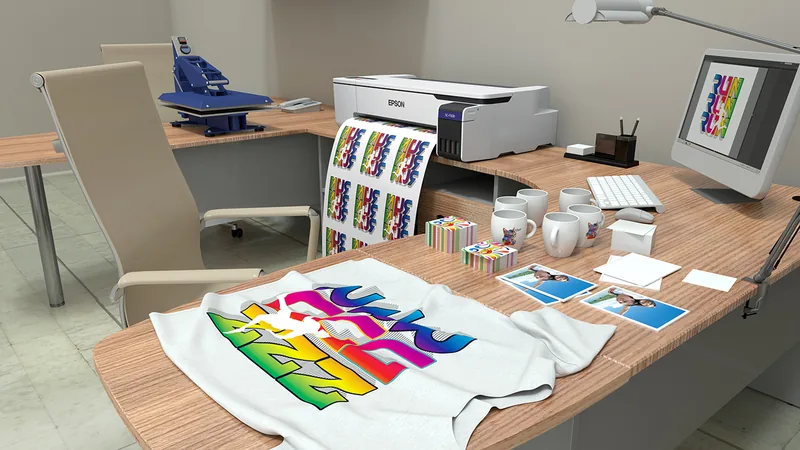

What is dye sublimation?
Dye sublimation prints the design onto transfer paper. A heat press then transfers the ink into the item, so the image becomes part of the surface rather than a layer on top.
Epson says the process suits fabric with a high polyester content and hard surfaces that accept a polyester coating and can withstand moderate heat and pressure. Epson states its UltraChrome dye sublimation ink meets OEKO-TEX requirements when applied to polyester fabric.
Epson designs the SC-F560 for ad-hoc and low-volume work rather than continuous or high-volume production, and recommends regular use so the printer is not left powered down for long periods.
Suited to:
- Custom merchandise
- Hard signage & metal signs
- Phone & tablet cases
- Sportswear
- Thongs
- Fabric banners
- Wall decorations
- Home décor
- Photo imaging
- Short-run garments
More dye sublimation printers
Compare the other dye sublimation printers available from Sign to Badge Solutions.
Epson
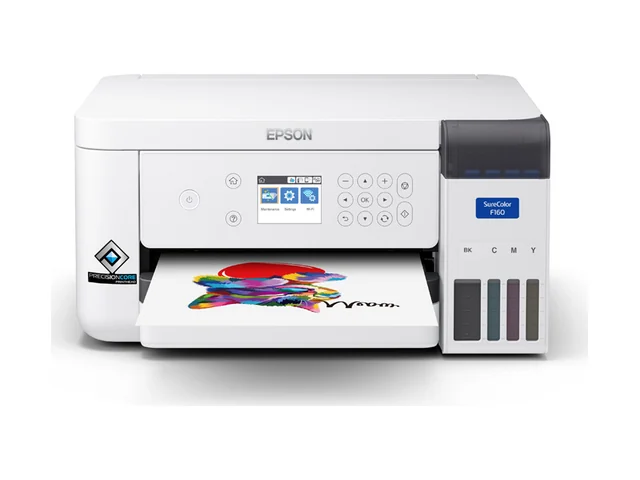
SureColor F160 (A4)
Compact A4 dye-sub printer with a refillable ink tank system.
View product - Epson SureColor F160 (A4)Epson
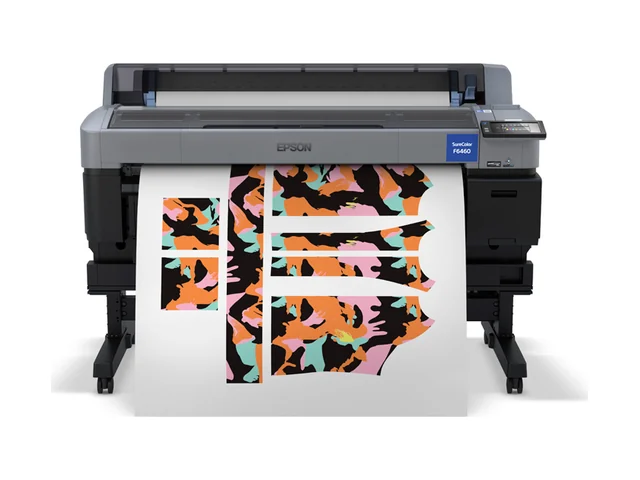
SureColor F6460 (44")
44-inch production dye-sub printer for fabric, soft signage and merchandise.
View product - Epson SureColor F6460 (44")
Interested in the Epson SureColor F560? Tell us what you plan to sublimate and we’ll help you plan the set-up, from heat press to transfer paper and blanks.
Request a Quoteor call 07 3412 0285