
Epson SureColor F1060
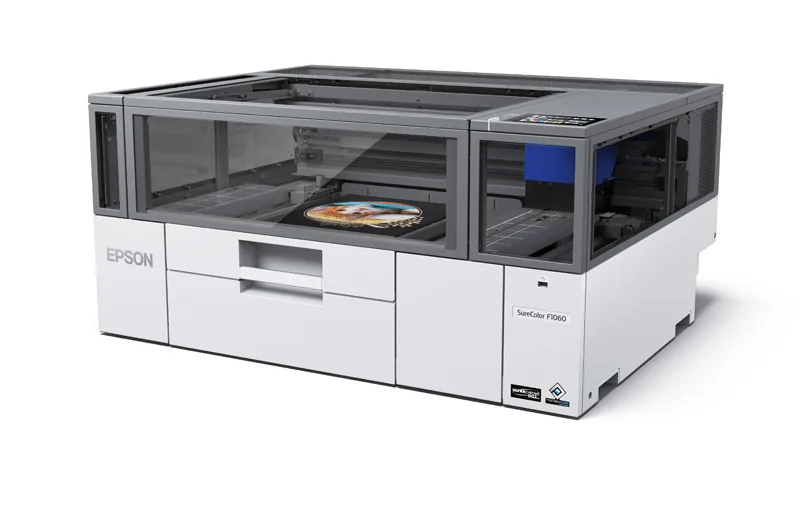
The Epson SureColor SC-F1060 is a compact, fully enclosed desktop printer that handles both direct-to-garment (DTG) and direct-to-film (DTFilm) work, with a print area of up to 254 × 305 mm. It runs Epson UltraChrome DG2 ink in a five-colour CMYK + White set for light and dark garments, and is designed for in-store customisation, events, designers and small print businesses. Available from Sign to Badge Solutions.
Key features
1DTG and DTFilm in one unit
Print straight onto pre-treated garments, or onto film for heat-press transfer to other materials, on both light and dark items.
2Compact, enclosed design
Desktop footprint of about 0.62 m², a see-through lit top cover, and sized to fit through a standard door.
3Fine detail and solid colour
PrecisionCore MicroTFP printhead with Variable Sized Droplet Technology and Precision Dot processing, up to 2400 × 1200 dpi.
4Easy garment loading
Fully automatic platen height adjustment, a pull-out neck guide and sleeve guides matched to the on-screen preview in Garment Creator.
5Reduced day-to-day maintenance
Ink-less nozzle monitoring, automatic nozzle replacement, auto head wiping, a self-washing capping system and white ink recirculation.
6Pouch ink and connected management
Front-loaded 250 ml ink pouches and a maintenance tank. Ethernet or Wi-Fi recommended, with Epson Cloud Solution PORT for job costing, reporting and remote support.
Specifications
| Specification | SureColor SC-F1060 |
|---|---|
| Print processes | Direct-to-garment (DTG) and direct-to-film (DTFilm) |
| Form factor | Compact desktop, fully enclosed work area |
| Maximum print area | 254 × 305 mm (small platen, included) |
| Optional platens | Extra small 178 × 203 mm; sleeve 102 × 102 mm; medium 305 × 347 mm (DTFilm only) |
| Maximum item thickness / weight | 25 mm / 1.5 kg |
| Printhead | Epson PrecisionCore MicroTFP, 400 nozzles × 6 lines |
| Maximum resolution | 2400 × 1200 dpi |
| Minimum droplet size | 12.8 pl (Variable Sized Droplet Technology) |
| Print modes | Uni- and bi-directional |
| Ink | Epson UltraChrome DG2, all-pigment; CMYK + White plus maintenance liquid, auto white ink recirculation |
| Ink loading | 250 ml pouches via front tray (5 ink + 1 maintenance liquid) |
| A4 print time, fast / production | Dark garment (white + colour): 200 s / 240 s Light garment (colour only): 55 s / 100 s Film (white + colour): 200 s / 285 s White only (garment or film): 105 s / 240 s |
| Control panel | 4.3″ colour touchscreen; USB direct print of files pre-processed in Garment Creator |
| Interface | Gigabit Ethernet or Wi-Fi (recommended); also USB 2.0 and USB 3.0 |
| Memory | 1 GB |
| Software | Epson Garment Creator 2 (with Photoshop plug-in), Epson Edge Dashboard (DTG Edition), Epson Cloud Solution PORT; delivered by web download |
| Power | 110–240 V AC, 50–60 Hz, 1.4 A; 40 W operating, 20 W ready, 6 W sleep |
| Operating humidity | 20–80% (no condensation) |
| Dimensions (W × D × H) | 899 × 699 × 426 mm; 71 kg (small platen, without ink) |
| Recommended installation | 900 × 1200 × 940 mm space; a stable table 600–800 mm high rated for at least 85 kg |
| Warranty | Epson onsite warranty (1 year), extendable to up to 5 years total cover, including the printhead, with optional Epson CoverPlus. CoverPlus requires an Epson Cloud Solution PORT account and a connected printer; terms and conditions apply. Regional locations may incur travel charges. |
| In the box | Printer, ink set with additional white, maintenance liquid, maintenance tank, 5 L cotton pre-treat, small platen, grip pad, garment flattening tool, head cleaning kit, maintenance kit, set-up guide |
Specifications summarised from Epson Australia’s published information and subject to change by Epson. Print times are Epson figures for an A4 print using Garment Creator 2; they exclude pre-treatment, loading, flattening, powdering and heat-press time, and will vary with the job and settings.
What else you’ll need
A DTG or DTF set-up involves more than the printer. Epson lists the following as generally required.
Heat press
Both DTG and DTFilm work need a heat press with adjustable temperature, pressure and timer for fixing or transferring prints.
Pre-treatment for DTG
Garments generally need pre-treating before DTG printing. It can be applied by roller or spray, and Epson recommends a pre-treatment machine.
Film, powder and oven for DTFilm
DTFilm uses third-party film and adhesive powder, applied away from the printer, and an oven is recommended. Results vary by brand, so test first.
A computer
A PC or Mac runs Garment Creator 2 for preparing artwork. Epson also notes that much of the supplied ink is used when the printer is first initialised.
Where the F1060 fits
Two ways to decorate with one printer
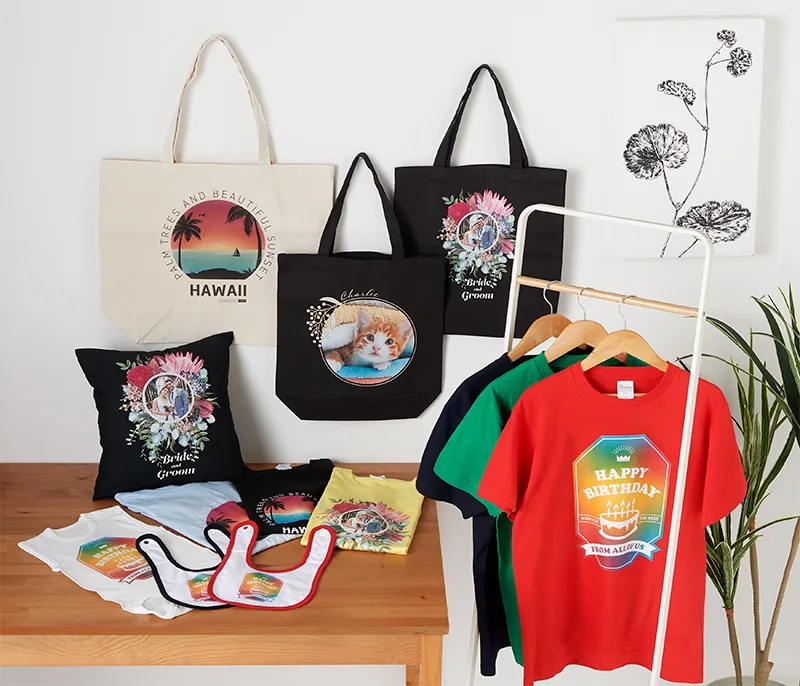
Direct-to-garment (DTG) prints the design straight onto a pre-treated garment, which is then heat-pressed to fix the ink. Epson notes it suits moderate to loose-weave fabrics with 50% or more cotton, and selected polyester with a polyester pre-treat.
Direct-to-film (DTFilm) prints onto transfer film, which is powdered, cured and then heat-pressed onto the item. Epson recommends it for tighter-weave fabrics and materials with higher synthetic content.
The SC-F1060 uses Epson UltraChrome DG2 ink, which Epson states is certified to the OEKO-TEX ECO PASSPORT and GOTS-ECOCERT standards. Epson recommends testing print and wash durability on your chosen materials before starting production.
Suited to:
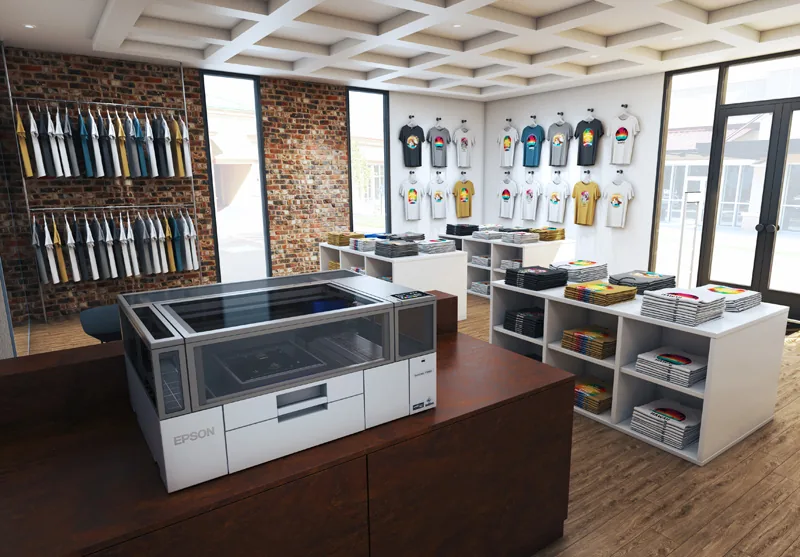
- In-store clothing customisation
- Event printing
- Designers & sample runs
- Print-for-pay services
- Small businesses
- T-shirts & polos
- Sweats
- Tote bags & merchandise
- Baby clothing (extra small platen)
- Sleeves, pockets & logos (sleeve platen)
- Light & dark garments
- Transfers onto tighter-weave or synthetic fabrics (DTFilm)
Interested in the Epson SureColor F1060? Tell us what you plan to print and we’ll help you plan the set-up, from heat press to pre-treatment or film workflow.
Request a Quoteor call 07 3412 0285